


Goal Management
Adding Annual and Custom Timeframes

Learn how to configure timeframes in StratSimple, including both annual fiscal year timeframes and fully custom periods. Admin users can add new timeframes with specific start and end dates, and optionally include auto-generated quarterly breakdowns. Once created, timeframes appear directly on the dashboard, to start adding and tracking objectives. The feature supports a wide range, from standard calendar years and fiscal years, to unique reporting windows.
What's New
StratSimple now allows admin users to add custom timeframes, fiscal years, or new annual timeframes. This is found on the Org Settings menu.
Why It's Important
As you build out your strategic plans year by year, eventually you'll need to add more years. You can also control special custom dashboards, for specific periods or projects, or create fiscal year annual plans for your dashboard.
How to Use it
Navigate to Org Settings, from the menu under your profile picture (or initials).
Select Timeframes from the left-hand menu to view all existing timeframes.
Click Edit Timeframes to open the timeframe management panel.
Scroll to the bottom and click Add Timeframe to create a new one.
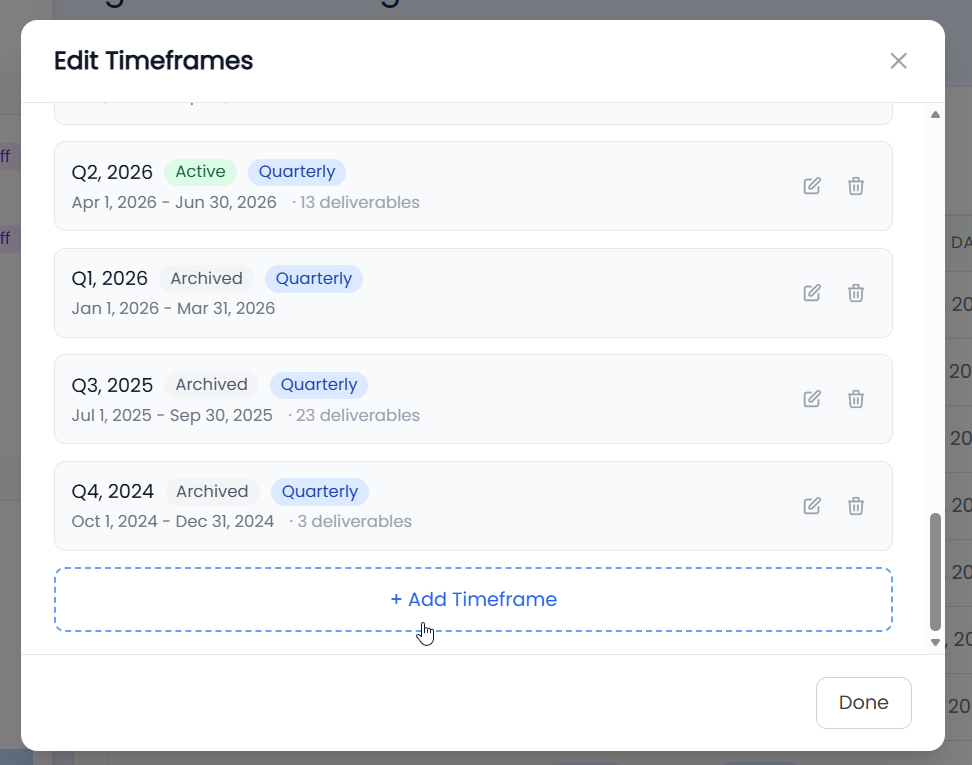
Choose the timeframe type: select Annual for a fiscal year, or Custom for any strategic planning period.
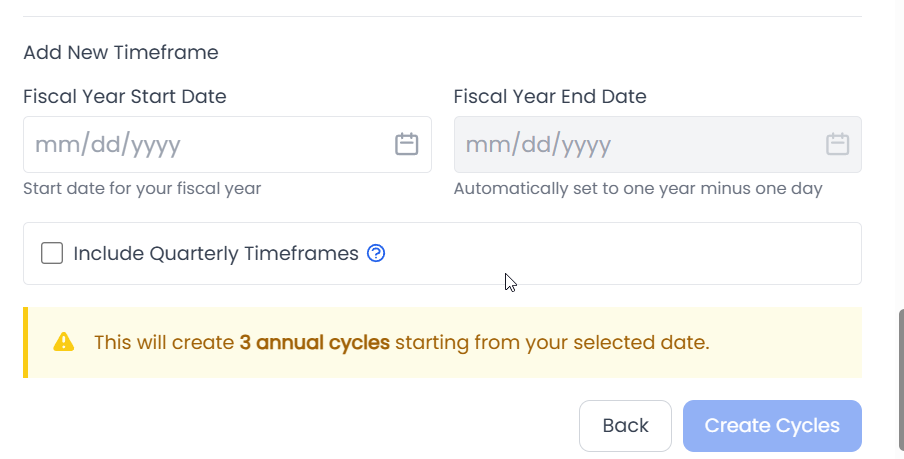
For an Annual timeframe, or fiscal year, set your fiscal year start date and choose whether to include quarterly timeframes. The system will automatically generate the next three fiscal years based on this start date, and quarters if you choose to use them. This will add one dashboard timeframe for each quarter of the year, starting from the Start Date.
For a Custom timeframe, give it a name (e.g. Summer 2026), set a start date and an end date.
Click "Add Cycle" to save the new custom timeframe.
Your new timeframe will appear on the dashboard. Navigate back to your dashboard, and select the new timeframe from the timeframe drop down to begin creating your strategic plan.
Here's a quick video to demonstrate how to do this:
Closing Statement
With custom timeframes, your strategy is no longer confined to a calendar year — it flexes to fit your organization's unique rhythm. Whether you're managing a fiscal year, a quarterly initiative, or a seasonal sprint, StratSimple gives you the power to plan on your own terms. Set your timeframe, define your objectives, and step into every planning cycle with clarity and confidence.